
What Is System Design, and Why Should Freshers Care?
System design is the practice of deciding how the parts of a software product fit together so that it works for real users: how data is stored, how requests travel, how the system grows and what happens when something fails. Freshers are often told that system design is only for senior engineers, but many interviews now include at least a light design discussion, and understanding it makes you a better developer even on small projects. The good news is that you can learn it by designing simple, familiar applications and following a repeatable method.
The Building Blocks You Need to Know
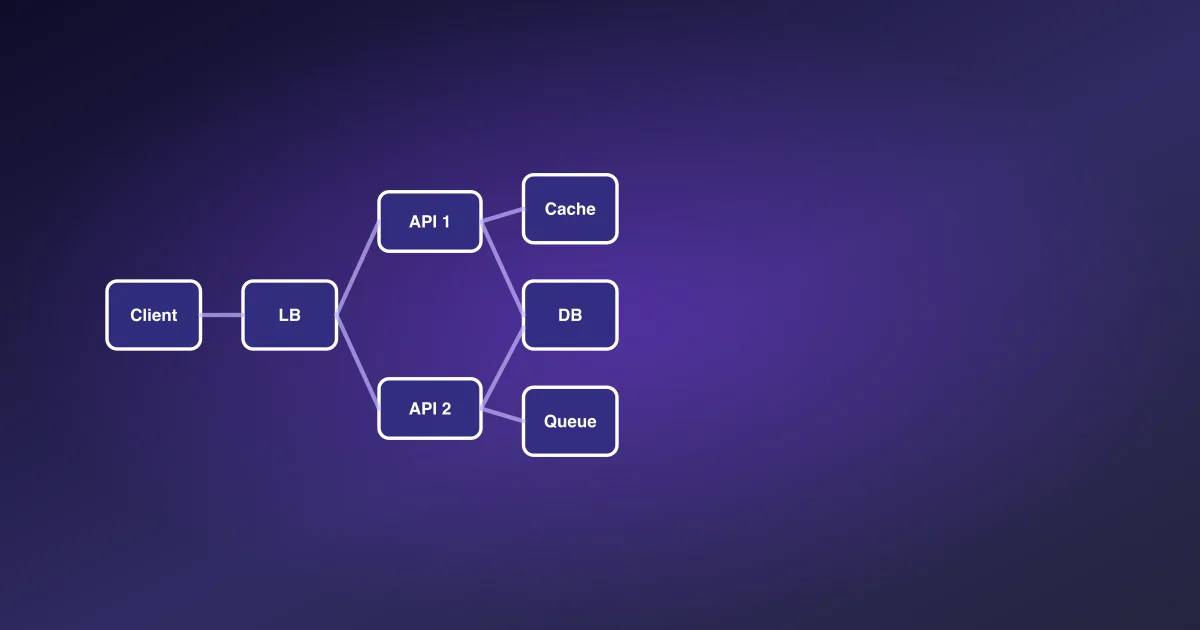
Clients and servers. A browser or app sends requests to servers that run your logic. APIs. Well-defined endpoints, commonly REST, that clients call. Databases. Relational databases such as PostgreSQL or MySQL store structured data with strong consistency, while NoSQL databases such as document or key-value stores are often chosen for flexible schemas or very high scale. Cache. A fast memory store, such as Redis, that holds frequently read data to reduce database load. Load balancer. Spreads traffic across several servers so no single one is overwhelmed. Message queue. Lets one part of the system hand work to another asynchronously, which smooths traffic spikes. CDN. Serves static files from locations closer to users. Object storage. Stores large files such as images and documents. Replication and sharding. Copies data for availability, and splits data across machines for scale.
A Four-Step Method for Any Design Question
Step 1: Clarify requirements. Ask what the system must do (functional requirements) and how well it must do it (non-functional requirements such as speed, availability and scale). Decide what is out of scope. Step 2: Estimate roughly. Guess users, requests per second and storage needed, using simple numbers. Precision is unnecessary, but rough maths shows whether one server or many is required. Step 3: Sketch the high-level design. Draw the main components and how a request flows through them, then define the key APIs and data model. Step 4: Deep-dive and discuss trade-offs. Choose one or two parts to explore, such as caching or database choice, and explain what could fail and how you would handle it. Interviewers care more about your reasoning than about a single right answer.
Application 1: URL Shortener
What it does: turns a long link into a short one and redirects visitors. Requirements: create short links, redirect quickly, optionally allow custom aliases and expiry. Core design: an API to create a link and an endpoint to redirect. Generate a unique short key, for example by encoding an incrementing ID in base 62 or by using a random string with collision checks. Store the mapping in a database, with the short key as the primary key. Because reads greatly outnumber writes, put a cache in front of the database for popular links, and use an HTTP redirect status. Trade-offs to discuss: key generation strategy, collision handling, analytics without slowing redirects, and preventing abuse of the service.
Application 2: Pastebin (Text Sharing Service)
What it does: lets users paste text and share a link. Requirements: create a paste, view it by link, optional expiry and privacy. Core design: similar to a URL shortener, but the stored value is text. Keep small text in a database, and move large content to object storage with the database holding a reference and metadata. Generate a unique ID for each paste, add an expiry time and run a background cleanup job. Trade-offs to discuss: maximum size limits, syntax highlighting done on the client or server, and protecting private pastes with unguessable links or access control.
Application 3: One-to-One Chat Application
What it does: delivers messages between users in near real time. Requirements: send and receive messages, show online status, keep history, deliver messages when the recipient comes online. Core design: clients keep a persistent connection, commonly a WebSocket, to a chat server. When a message arrives, the server stores it and forwards it to the recipient if connected. If not, it is queued and delivered later, with a push notification. Use a database suited to time-ordered messages, partitioned by conversation. Track delivery states such as sent, delivered and read. Trade-offs to discuss: ordering of messages, handling many concurrent connections across servers, group chats and end-to-end encryption.
Application 4: Notification Service
What it does: sends email, SMS and push notifications to users on behalf of other services. Requirements: support several channels, respect user preferences, avoid duplicates and handle traffic spikes. Core design: other services publish events to a message queue. Worker services read from the queue, look up preferences and templates, and call external providers for each channel. Add retries with backoff, a dead-letter queue for failures and rate limits per user and per provider. Store a record of each notification for auditing. Trade-offs to discuss: at-least-once delivery and idempotency to prevent duplicates, prioritising urgent messages and handling provider outages.
Application 5: Online Quiz and Exam Platform
What it does: lets teachers create timed quizzes and students take them. Requirements: create questions and quizzes, authenticate users, run timed attempts, auto-grade and show results. Core design: a relational database with users, quizzes, questions, attempts and answers. A quiz-taking service starts an attempt, records its start time on the server so the timer cannot be cheated on the client, saves answers periodically and grades on submission. Cache quiz content, since many students request the same quiz at once, and use a queue to process results during peak load. Trade-offs to discuss: what happens if a student loses connectivity mid-exam, preventing cheating, handling a sudden surge when a test opens and privacy of student data. If you want to see how a quiz product feels from the student side, try the MCQ practice at Smart Campus Buddy Quizzes and note which parts of your design it would need.
Tips for Practising System Design as a Fresher
Draw every design on paper or a whiteboard and explain it aloud, because clear communication is half the skill. Start with a single-server design that works, then explain how you would scale it. Build a tiny working version of one system, such as a URL shortener, to connect theory with code, and publish it on GitHub following our developer portfolio guide. Read engineering blogs and open-source documentation to see how real systems handle problems. Study in short sessions using the Pomodoro Study Timer, and revise the ideas with the active recall methods in best study techniques to score higher. If you present a design in class, use our PowerPoint design tips to keep diagrams clear.
Common Mistakes Freshers Make
Jumping straight to technologies before understanding requirements, overcomplicating a small problem with too many services, ignoring failure scenarios, forgetting to state assumptions, memorising a design instead of reasoning about it, and drawing boxes without explaining data flow. Remember that every choice has a cost, so say what you gain and what you give up.
Where to Go Next
Once these five feel comfortable, try a news feed, a file-sharing service and a ride-matching system. Learn about consistency models, indexing, rate limiting, consistent hashing and monitoring. Pair system design with data structures, databases and networking fundamentals. If you are also learning about security, our guide on cybersecurity mistakes students make will help you think about protecting the systems you design.
Frequently Asked Questions
Do freshers get system design questions in interviews?
Some companies include a simple design round or an object-oriented design task even for entry-level roles. Others focus on coding, but basic system design knowledge still helps with project discussions.
How long does it take to learn system design basics?
With consistent practice, many students can understand the core ideas and design simple systems within a few weeks. Depth comes from building projects and reading real-world architectures.
What is the difference between high-level and low-level design?
High-level design covers major components, data flow and scale. Low-level design focuses on classes, interfaces and code structure inside a component.
Which database should I pick in a design answer?
Choose based on requirements. Relational databases suit structured data and transactions, while NoSQL stores suit flexible schemas or massive scale. Explain your reasoning rather than naming a favourite.
Do I need to build the systems I design?
It is not required, but building a small version, such as a URL shortener, makes the concepts stick and gives you a project to show.
Conclusion
System design is a skill of asking good questions, making reasonable estimates, choosing simple building blocks and explaining trade-offs. Practise with the five applications above, draw and speak your designs, and build at least one of them. Within a few weeks, design conversations will feel far less intimidating.
Smart Campus Buddy helps students grow into confident engineers. Use our free tools, keep learning on the blog, and reach out about services to polish your resume, project reports and presentations.